TYPO3 v14.3 LTS: The most important updates for editors

TYPO3 v14.3 LTS: The most important updates for editors at a glance
With TYPO3 v14.3 LTS, the new long-term support version of the content management system has been released.
The new version introduces numerous improvements, particularly noticeable in day-to-day editorial work. We’ve taken a closer look at TYPO3 v14.3 LTS and highlight the most important updates for editors.
Modernized backend for improved usability
The TYPO3 editor interface has been visually and structurally redesigned in version 14.3. A new color scheme, updated icons, and a clearer module structure create a more streamlined overall appearance. The naming of individual modules has also been revised to better reflect their actual function. For example, “Web” is now “Content” and “Files” has been renamed to “Media.” This makes backend navigation more intuitive and allows content to be edited more quickly. This not only makes it easier to get started, but also improves day-to-day work, as less time is needed for navigation.
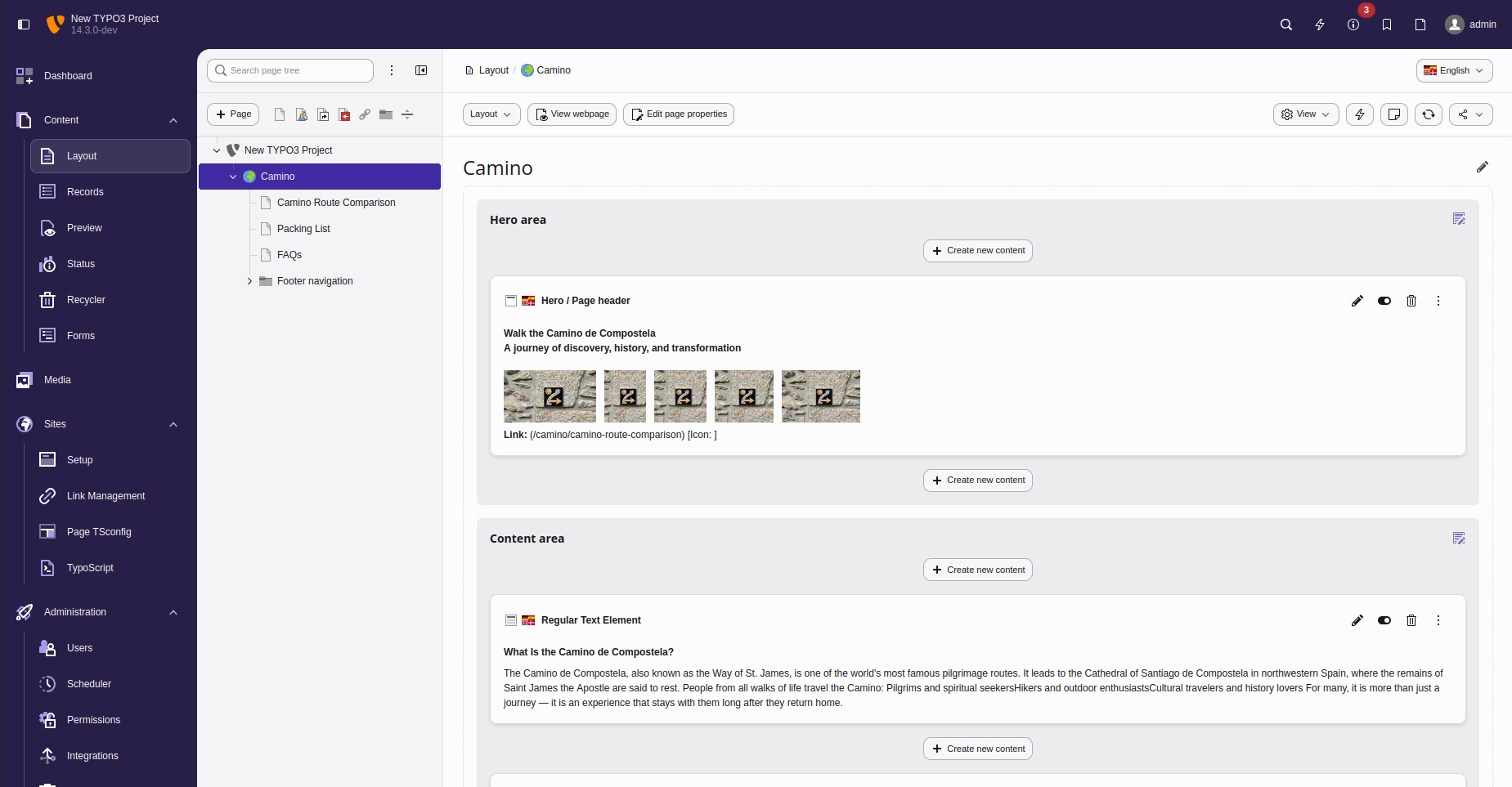
Editing content without context switching
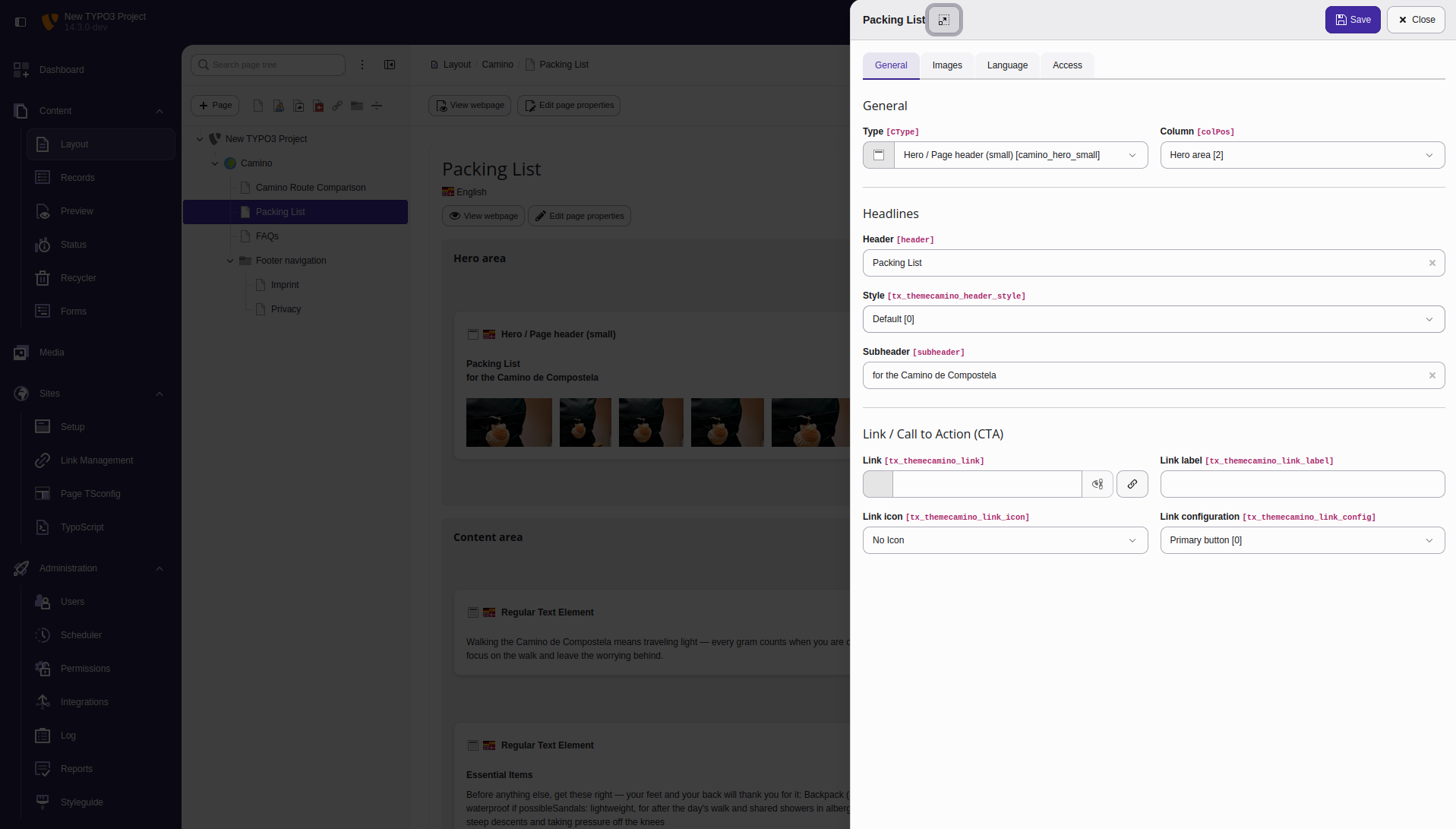
One of the most noticeable changes affects content editing. Input forms no longer open in a separate view but instead appear as a flyout — a side panel on the right-hand side of the screen. This keeps the current page visible at all times, so the context of the content is not lost. Content can now be edited directly without switching between different views. This makes the overall editing process smoother and reduces unnecessary clicks. Especially when making many small changes in day-to-day work, this adjustment saves time and noticeably improves the backend experience.
Structured page creation with the Page Creation Wizard
TYPO3 v14.3 LTS brings more structure to the creation of new pages. With the new Page Creation Wizard, editors are guided through the page creation process step by step. Important details and required content are clearly defined, so pages can no longer be created incompletely. At the same time, the guided process makes it easier to onboard new editors, as less prior knowledge of the website structure is required.
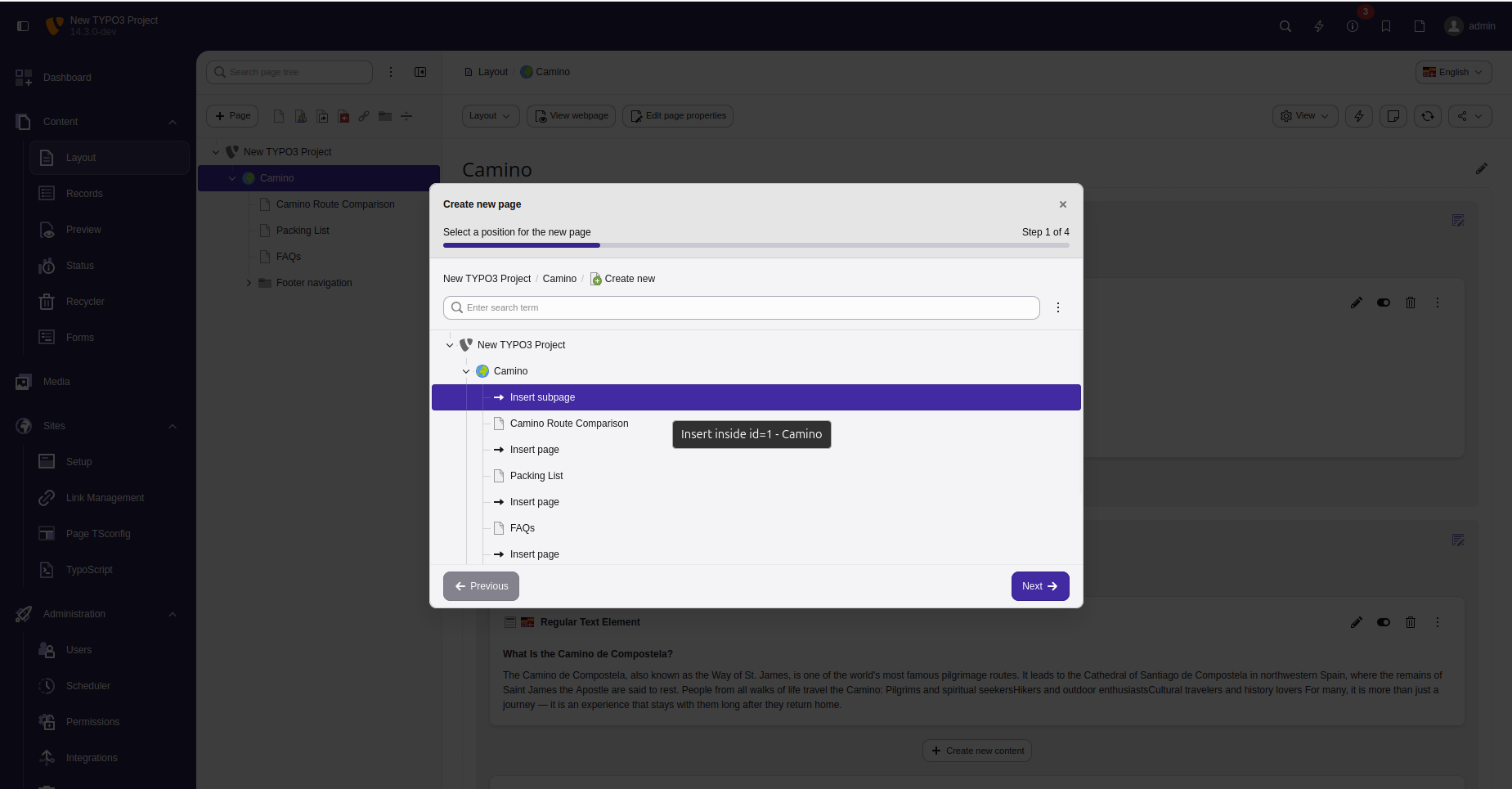
Improved workflow for translations
Handling multilingual content has also been improved in TYPO3 v14.3 LTS. A new guided translation process supports editors in translating content in a more structured way. Only the relevant steps are shown at each stage, making the process clearer and reducing errors.
Support for campaigns and onboarding
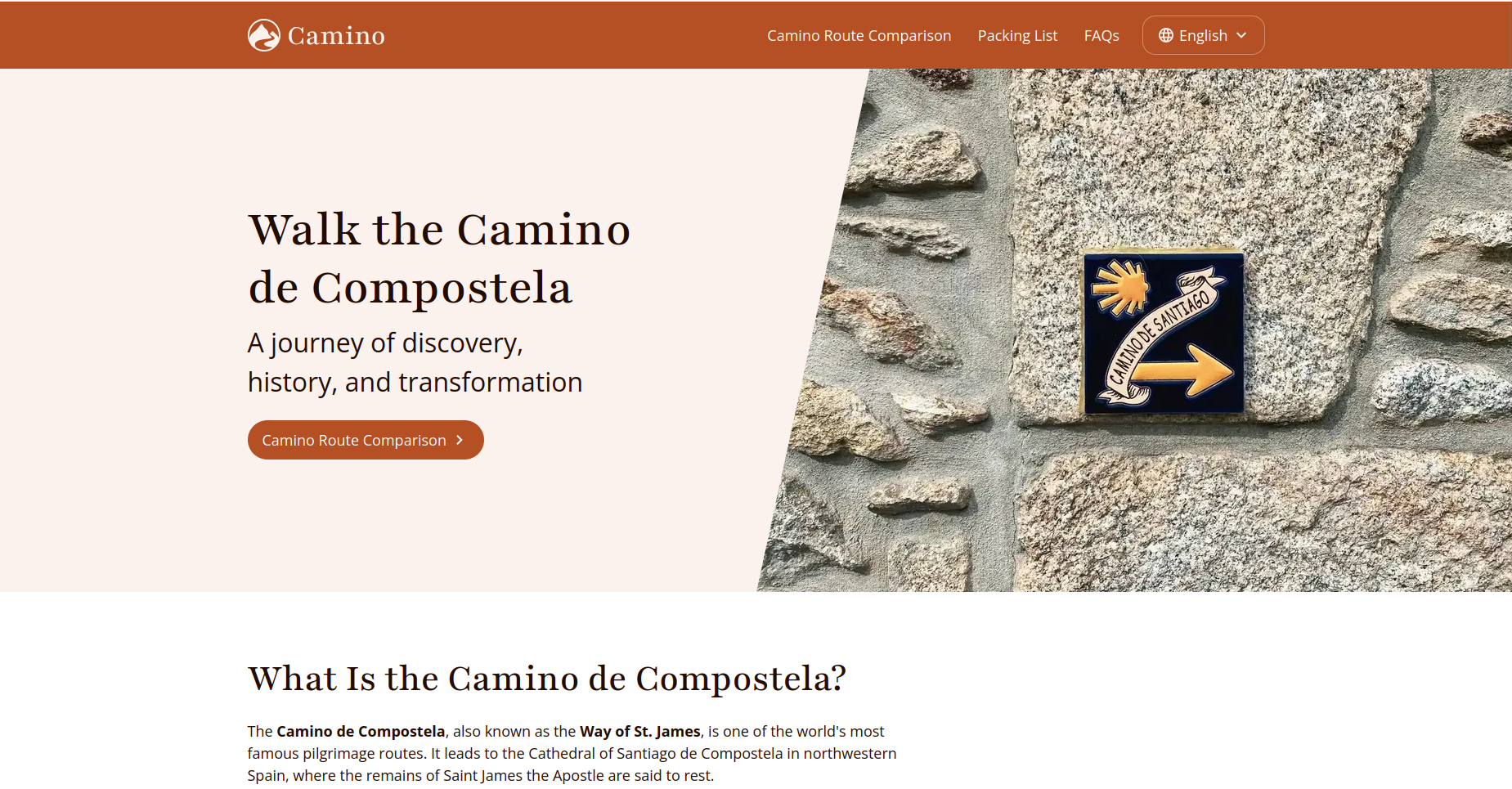
The new version introduces additional features for campaigns and marketing activities. For example, QR codes can now be created, managed, and downloaded directly within the backend, without the need for external tools. Particularly useful: the target of a QR code can be updated later without changing the code itself. This ensures that printed materials with QR codes remain usable even if the underlying URL changes. This is complemented by the management of short links within the backend. Redirects can be centrally controlled and flexibly adjusted. There is also a relevant improvement when starting new projects: with the standard theme “Camino,” TYPO3 CMS now offers a ready-to-use frontend foundation for the first time. This allows content to be quickly presented within a functional website structure without the need to develop a custom design right away. It is especially helpful for project kick-offs and the creation of prototypes.
Further improvements in everyday editorial work
In addition to the major updates, TYPO3 v14.3 LTS includes a range of further improvements that make everyday work in the backend easier. For example, the page tree filter has been enhanced. In multilingual projects, pages can now also be found using their translated titles, which significantly simplifies navigation. There are also updates to form handling. Email texts can now be edited directly in the backend, making them easier to adjust. In addition, rich text configurations can be used in form fields, allowing for more flexible content design. A new bookmark manager has also been introduced, enabling backend links to be centrally managed and grouped. Further improvements affect media management, redirects, and working with content elements.
What has changed behind the scenes
In addition to the visible updates in the backend, TYPO3 v14.3 LTS also introduces changes that affect system operation and configuration. Page layouts define the structure of a page as well as the areas where content is created in the backend and displayed in the frontend. Previously, extensions like “Content Defender” were often required to control which content elements were allowed in specific areas such as the header, main section, or footer. This configuration option is now available directly in the TYPO3 core. User management in the backend has also been enhanced. Passwords can now be generated using a built-in generator, making it easier to create new users. In addition, templates are preprocessed in the background, enabling faster content delivery. This has a positive impact on loading times.
Conclusion
TYPO3 v14.3 LTS continues to evolve the system and, above all, improves the editorial interface. Many functions are easier to access and simpler to use. Workflows become more efficient, as fewer intermediate steps are required and content can be edited more directly. At the same time, TYPO3 CMS becomes more accessible overall. Editors can find their way around more quickly, and training effort can be reduced. Many of the improvements are subtle, but they have a noticeable impact in day-to-day work.
Share this post